How to Use the CPF Simulator
A step-by-step guide to configuring your profile, understanding the advanced options, and interpreting your retirement projections.
Table of Contents
Setting Up Profile & Income
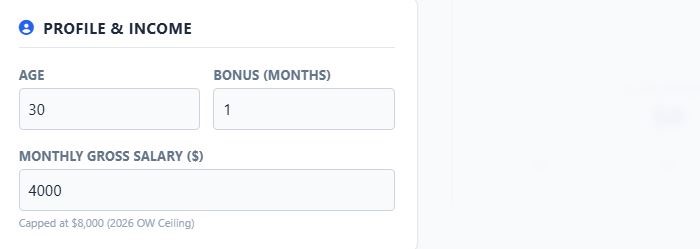
Enter your basic demographics. This determines how many years the simulation runs and what allocation rates apply.
- Age: Your current age. The simulation runs until age 65.
- Bonus: Number of months of bonus you receive annually. This is credited in the first month (January) of the simulation year.
- Gross Salary: Your monthly salary. Note: This is automatically capped at $8,000 (the 2026 Ordinary Wage ceiling).
Entering Current Balances
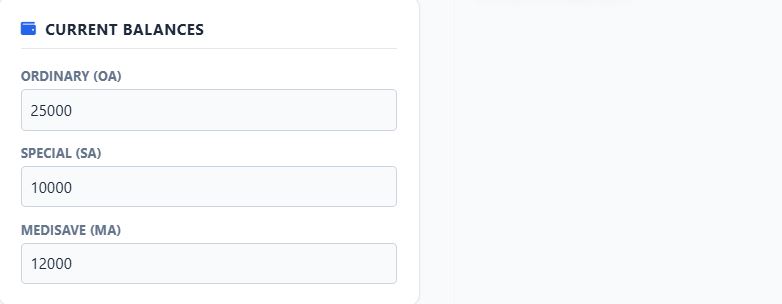
Input the current amounts in your CPF accounts. You can find these by logging into the official CPF portal.
Projections & ERS Target
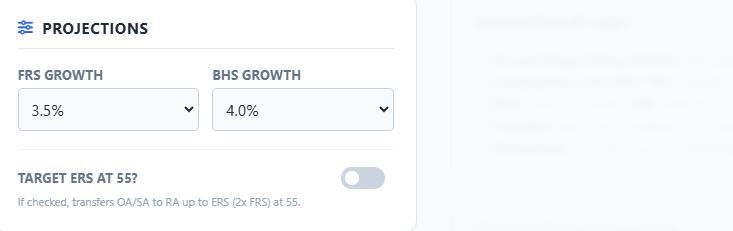
Growth Rates
Adjust how fast the Full Retirement Sum (FRS) and Basic Healthcare Sum (BHS) limits grow annually. Default is usually 3.5% - 4.0%.
Target ERS at 55?
Unchecked (Default): At age 55, the simulator creates your Retirement Account (RA) targeting the FRS.
Checked: The simulator attempts to fill your RA up to the Enhanced Retirement Sum (ERS) (which is 2x FRS in 2026 rules) using funds from your SA and OA.
Advanced Mode (Optional)
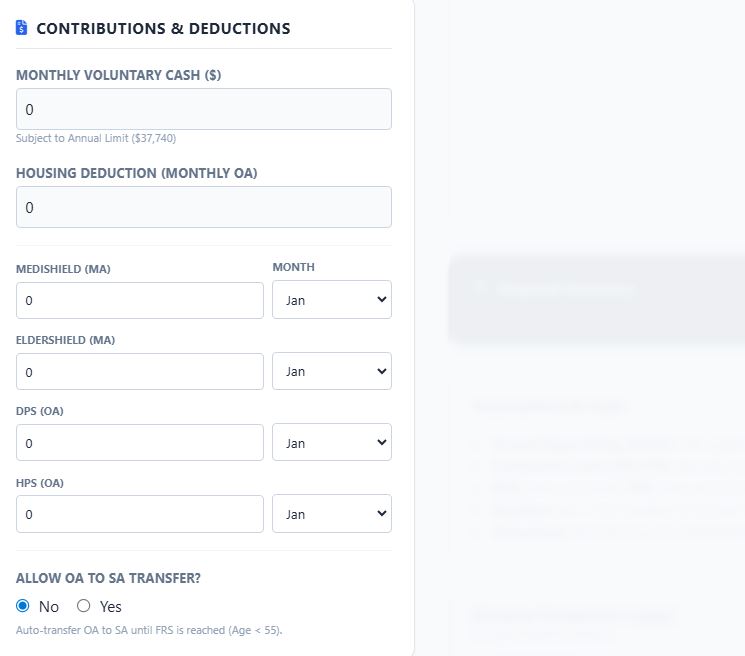
Click "Show Advanced" to reveal granular inputs.
Voluntary Cash Top-ups
Simulate monthly cash additions. The app automatically stops accepting cash once you hit the $37,740 annual limit (mandatory + voluntary).
Housing Deduction
Enter your monthly mortgage payment (paid via OA).
Insurance Premiums
Set annual premium amounts for MediShield/ElderShield (deducted from MA) and DPS/HPS (deducted from OA). You can select the specific month these are deducted.
Interpreting the Output
Snapshot Cards (Age 55 & 65)
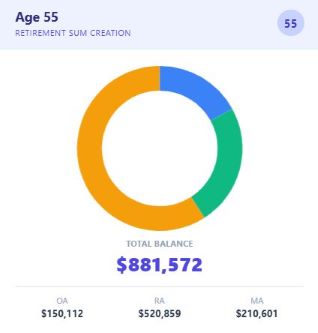
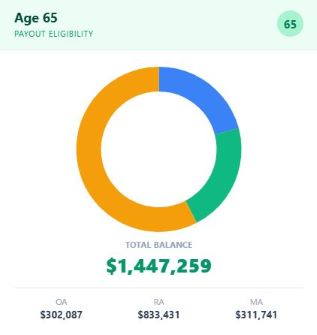
These cards show your exact account standings at critical milestones.
Age 55: Shows the result immediately after the SA Closure and RA creation.
Age 65: Shows your final balance before payout eligibility.
Financial Summary
This text block analyzes your data to answer:
- Did you meet your FRS/ERS target?
- What is your estimated monthly CPF LIFE payout?
The Ledger
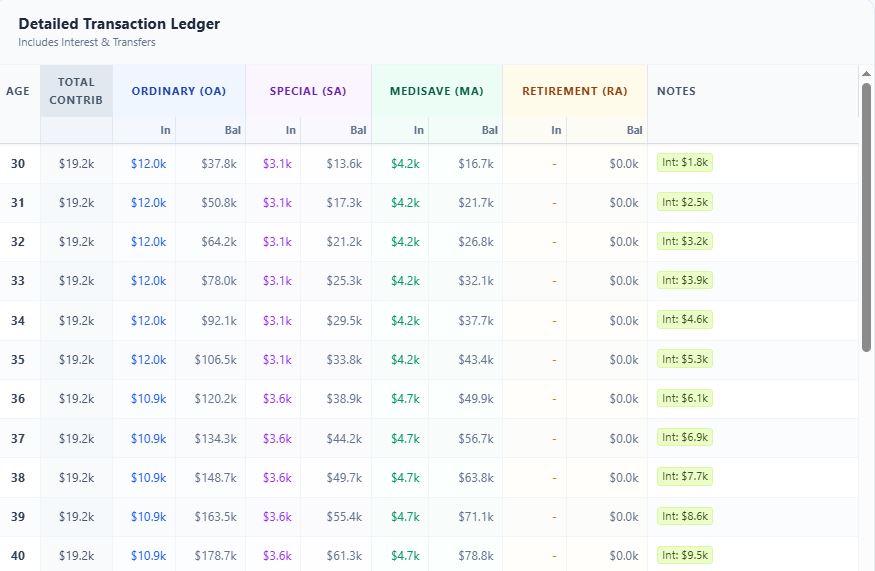
The table at the bottom is the "source of truth". Look at the Notes column for colored pills: